
One tenner  the whole app two weeks free
  no contract
For drainage engineers
Quote the blockage before you leave.
You send the quote or invoice straight to their phone by text or email. It opens as a proper document with your name and colours on it, and they pay however you take it: card, bank transfer or cash. Easy for you to send, easy for them to pay.

Quotes · Invoices · Reminders · Bookings ·
Expenses · Certificates · Payments · Mileage ·
Blockages,surveys,collapsedpipes.YourPAkeepsthediarystraight,warnsyoubeforeyoupromiseTuesdaytotwopeople,andfilesthesupplierreceiptagainstthejob.Nothingwaitingforyouafterwork.Youcanputyourfeetupknowingthateverythingistakencareofforyou.
What TradePA is, and what it costs
TradePA is an app for UK trades, including drainage engineers, that does your admin while you talk. Say the job and it writes the quote, drafts the invoice, books it in the diary and writes the reminder when someone hasn’t paid. It gets the job signed off on your phone too. £10 a month, two weeks free.
The whole app. Every feature, no add-ons, and it does not go up when the work does.
No card, no contract. Put a real job through and see how TradePA can change your business.
A Job Completion Sign-off the customer puts their name to on your phone, before you have packed the jetter away.
Say it with the jetter still running
What you say, and what you get back

You say
“Quote Mrs Whelan one hundred and forty to clear the blocked drain at 16 Prospect Road.”
A £168 itemised quote with VAT and your logo on it. You preview your quote to make sure you are happy, before sending to your customer by text, WhatsApp or your own custom branded email.

You say
“What should I be charging for the CCTV survey at 8 Bank Street?”
Quote Helper shows what the job costs you and what your expected profit would be, allowing you to quote with ease based on your own cost and pricing data. Jetting, camera time, travel, labour, each with your costs versus what you charge your customer. You see the margin before you send it, not after the job is done.
You say
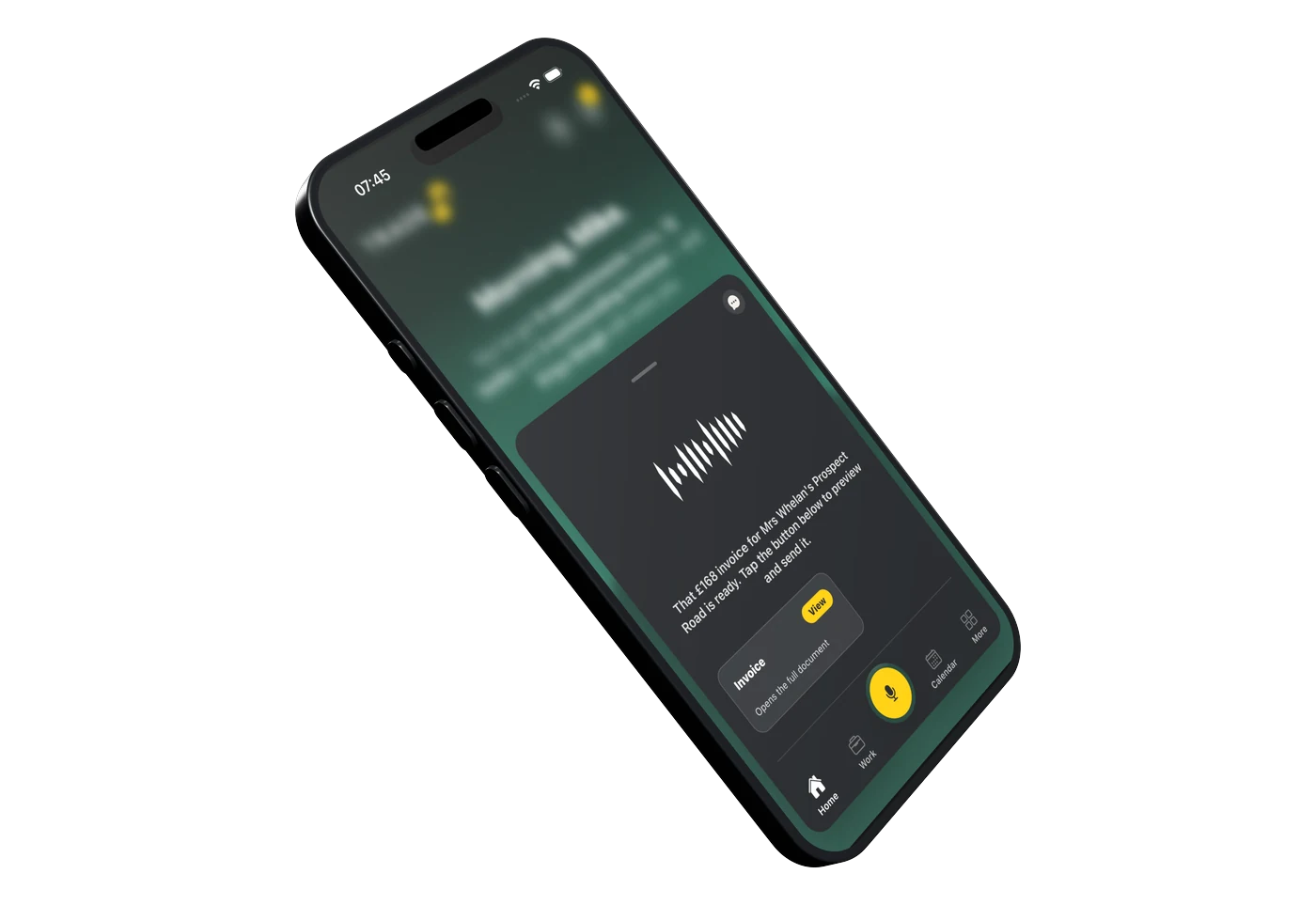
“Prospect Road is cleared and she has signed it off. Invoice her the one hundred and forty plus VAT.”
Your PA updates that job and drafts the £168 invoice, ready for you to preview and send.

You say
“Who still owes me?”
Your PA already knows. Every invoice you have sent, what has landed and what has gone past its date. Your Trade PA writes the reminder and you tap send. Nothing goes to your customer that you have not okayed.
The paperwork
Half the job is proving what you found
Clear a blockage and you are done in an hour. Find a collapsed pipe and you are into a survey, a report and an insurance claim. The photographs and the camera footage belong on that job under that address, next to the quote for putting it right, so the customer and their insurer are looking at the same thing you are.

1 hour
What a straightforward blockage takes, which is not long enough to be doing paperwork afterwards. Say it as you pack up and the invoice is drafted with a card link on it, so an emergency call-out gets paid like one.
The sign-off
You talk to your PA, it writes the job sheet. Ready for them to sign.
01
It fills itself in
Your PA already has half of it
Pick the job and the customer, and the address and the work you logged come straight off it. Your PA asks you for whatever is missing and you answer as you would to a real person. The job sheet fills itself in as you talk.
02
Signed both ways
You sign it, then your customer does
You sign the job sheet where it needs it. Your customer can sign in person on your phone, or you email them a copy to sign on theirs. Once they have signed, the signed copy comes back onto the job for your records.
03
Kept for next time
It all stays on the job
Every quote, every invoice, every photo and the signed sheet all hang off that customer and that address. When they ring next year about the thing you did, it is one search, not a rummage through your camera roll.
The questions drainage engineers ask us
Callouts, reports, insurance work and the money.
Reports
It doesn’t code your survey. It holds the job the survey belongs to, which is most of the argument.
Does it write my CCTV survey report?
No. The MSCC coding, the sonde trace, the site plan: that’s your kit and your software, and TradePA doesn’t go near it. What it holds is the job. Customer, address, photos, notes, quote, invoice, all on one record. You send the report the way you send it now.
The loss adjuster wants everything. Where do I keep it?
Under one job with the address on it. Photos with captions, notes for what you found, and a dated activity log of every status change, quote sent and payment taken. When the adjuster comes back in three months asking what you did on the 14th, that’s one screen, not a scroll through WhatsApp.
Build-over agreements. Anything in it for that?
No, and be wary of anything that says otherwise. That’s the water company’s application, and it’s the owner’s to make, with your survey going in behind it. TradePA does the bits either side: the survey in the diary, the report priced and invoiced, the lot filed under the address so when it drags on for eight weeks you can still find it.
Can I get a signature on site once it’s cleared?
Yes. There’s a Job Completion Sign-off. You sign as the engineer, hand them the phone, they sign, and it comes out as a PDF with both on it. Worth two minutes at 11pm on an emergency, when nobody wants that conversation again in the morning.
Does it track my confined space ticket or my jetting card?
No, and it won’t warn you when they run out, so don’t lean on it for that. What you can do is tell it yourself: remind me on the 1st of November to book my confined space refresher. That goes in the diary and pings you on the day.
Quoting
The number you say at two in the morning wants to be the number on the invoice.
Half of it’s emergency work. Can I quote hands-free?
That’s the whole idea. “Hey Cara, quote Mrs Patel two hundred and forty for a blocked soil stack at 14 Elm Road.” It writes it on your own template with your logo while you’re driving. You read it before anyone else does, because it doesn’t send anything on its own. You tap send and it goes from your phone.
Callout tonight, lining next month. One job or two?
One job, two invoices. Bill the callout and the clear, then invoice the lining as the next stage. It won’t let you mark the whole job paid while there’s value you haven’t invoiced yet, which stops a settled callout quietly closing a job with three grand of repair still on it.
The survey decides the repair price. How do I quote that?
Quote the survey first, then quote the works off the back of it. If the scope moves once you’re in the hole, edit the lines and it saves a new version. The link they’ve already got shows the latest, so there’s no argument about which price they were looking at.
Can I tell if they’ve even opened it?
There’s an eye and a number next to the quote on the job page: how many times the customer opened it. Your own previews don’t count. Three opens and no answer usually means they’re ringing round, not that your email bounced.
Insurance jobs get paid by the adjuster, not the householder.
Then put the paying party in as the contact and set the job address to the property. The invoice goes where the money is and the job stays where the work was. If you’ve got bank transfer switched on, your account details and the invoice number as a reference sit on their payment page, so what lands is already matched.
Money & the day
Emergency work pays the best and gets forgotten the fastest.
I jetted it at midnight. When am I invoicing it?
Before you pull off, ideally. Say bill the Elm Road job two-forty and it’s drafted in your hand. You tap send when you’re happy and it goes from your own email or messages. The ones that go missing are always the ones you meant to do on Sunday.
Who owes me, without opening a spreadsheet?
Ask it. Who owes me money. Has Elm Road paid. It knows, because it’s the same job the invoice came off. Anything past its due date turns up on your task list as well, with the name and the number on the card.
A lot of mine is cash on the doorstep.
Mark it paid and pick cash. Every payment is its own row with the method on it, so part payments work properly: two hundred now, the rest Friday. It doesn’t flip to paid until the full amount has landed.
Can I move the diary without stopping the van?
Tell your PA to push the Tuesday survey to Thursday morning. It checks what you’d be clashing with first and tells you, including when the gap’s too tight to get across town. Then the event card has an Update customer button that opens a message to them, already written.
What’s it cost, and is there an Android version?
£10 a month, one plan, no tiers, no contract. Two weeks free and it doesn’t ask for a card. Yes — it’s live on Google Play for Android. The iPhone app is live on the App Store too.
One plan. The whole app.
TradePA
£10/mo
- Two weeks free, no card needed
- Every feature switched on, day one
- A tenner a month. That’s the whole price list.
- Cancel any time. No phone call needed.
